

Webhooks
Webhooks deliver events to your server the moment they happen, so you do not have to poll. Each delivery is a JSON POST to a URL you register, signed with HMAC-SHA256 so you can verify it came from us.
Our envelope and signature scheme implement the Standard Webhooks specification. Any verifier from that ecosystem will work out of the box.
Quickstart
1. Register an endpoint
Register from the dashboard at Organization → Webhooks. You supply the destination URL and pick the event types you want delivered. There is no wildcard, so subscribers opt in to each event type explicitly.
After creation you receive a signing secret of the form whsec_…. Store it immediately. It is not retrievable later. If you lose it, rotate it.
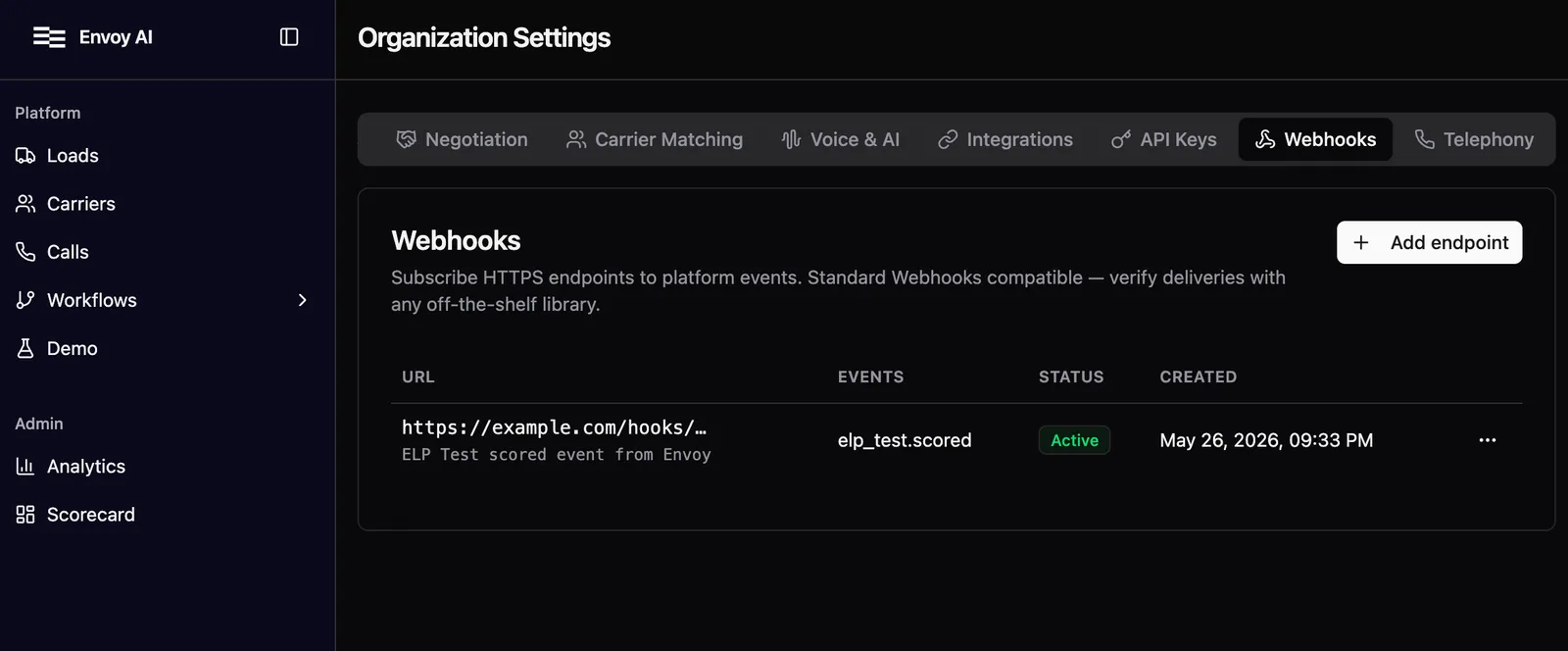
Programmatic management of endpoints (create, list, update, delete) is available in the API reference.
2. Receive a delivery
Every delivery is a POST to your registered URL with this envelope:
Three signing headers travel with the body:
Always respond with a 2xx within 15 seconds. Anything else is treated as a delivery failure and triggers a retry.
3. Verify the signature
Use the official Standard Webhooks library for your language. The verifier takes your whsec_… secret plus the request body and the three webhook-* headers, and tells you whether the signature is valid.
Python (standardwebhooks on PyPI):
TypeScript / Node (standardwebhooks on npm):
For any other language (Go, Ruby, PHP, Rust, Java, .NET, and more), pick the official SDK from standardwebhooks.com/#sdks. All follow the same interface: hand it the secret, body, and headers; get back the verified payload or an error.
Idempotency
webhook-id is stable across retries. If the same webhook-id arrives twice, it is the same logical event. Process once, ignore the rest.
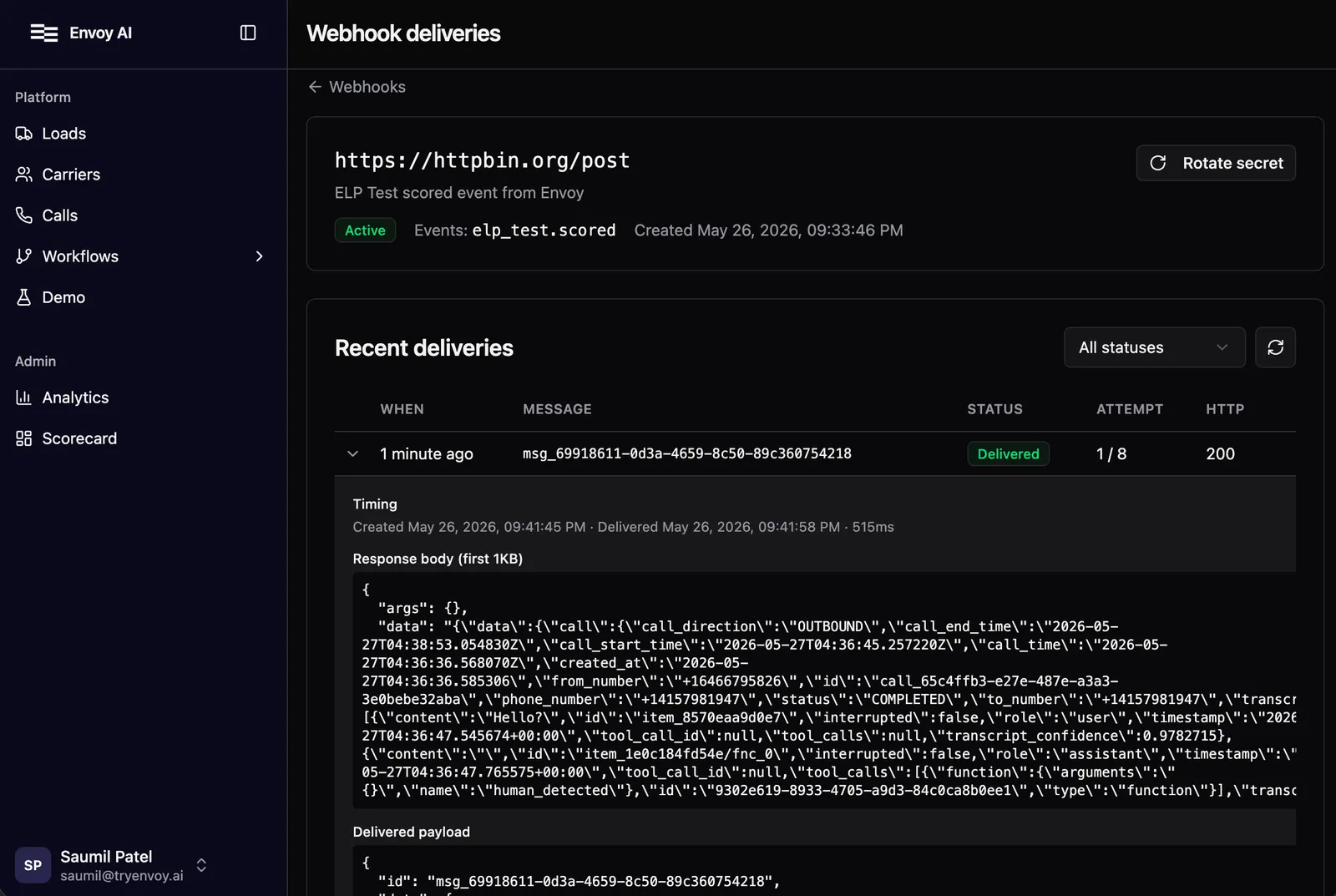
Retries are exponential with jitter. We retry on any non-2xx response or connection failure for up to ~24 hours, then give up. Every attempt is captured in the per-endpoint delivery log at Organization → Webhooks → {endpoint}. Expand a row to see the request payload and response. Failed and dead deliveries can be replayed from there.
Secret rotation
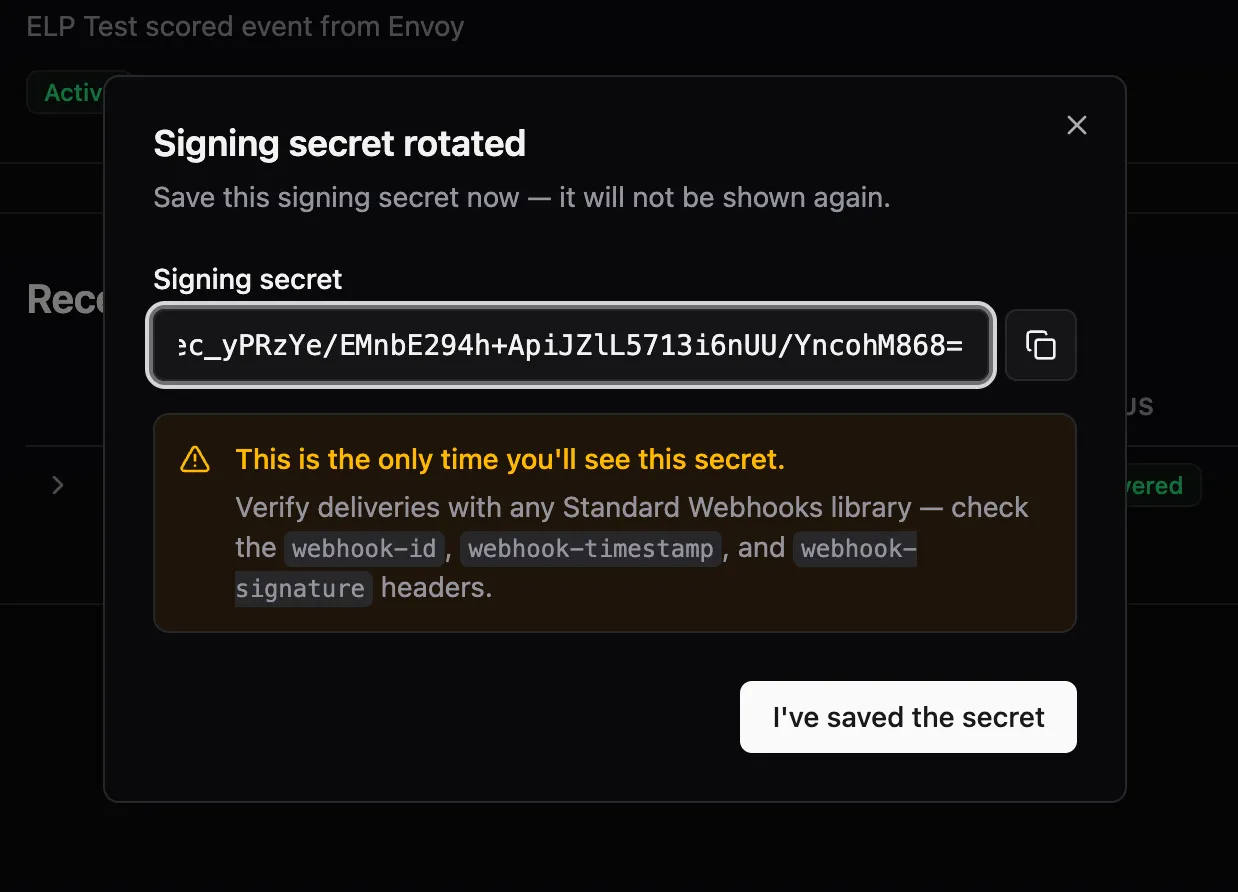
Rotate from the dashboard at Organization → Webhooks. Pick the endpoint row and select Rotate secret.
Rotation mints a fresh whsec_… secret and keeps the previous one valid for 24 hours. During the overlap window, webhook-signature includes one v1,<sig> per active secret, so verification with either succeeds. Update your stored secret to the new value any time within those 24 hours.
Reserved headers
webhook-id, webhook-timestamp, and webhook-signature are always set by us. If you configure custom headers on your endpoint that collide with these names, the custom values are silently dropped at delivery time. That prevents an endpoint from being tricked into signing its own deliveries.
Event catalog
The authoritative list of subscribable event types lives in the API reference.
Next steps
- ELP Tests. Worked example using
elp_test.scored. - Standard Webhooks spec. The underlying signing and envelope contract.