

ELP Tests
An ELP test is a phone-based English Language Proficiency assessment for commercial motor vehicle drivers. Our voice agent calls the driver, asks five scripted questions across four communication areas, and reports a per-area score after the call.
Test questions
The agent reads all five questions verbatim, in order, one at a time. The five questions stay fixed across all tests so scores are comparable between drivers.
Scoring leniency (what the scorer accepts as a high-band answer):
- Q1: First name plus carrier is fine (“Joe, Joe’s Trucking”). Full legal name not required.
- Q2: The exact door number is not required. The competency tested is multi-step comprehension (back into a door, then bring paperwork), not number recall.
- Q3: State-level, regional, or facility names all count for origin and destination. Exact place names not required.
- Q4: The required answer is the action (turn the engine off, don’t idle). Reading the sign back word-for-word is not required.
- Q5: Both numeric (“5327”) and alphanumeric (“ABC1234”) truck numbers are valid. The score reflects dictation clarity, not format.
What gets scored
Each area is scored 1–10. Q1 and Q3 are averaged into a single Conversational Communication score.
Lifecycle
An ELP test moves through two parallel statuses. status tracks the call. scoring_status tracks the post-call analysis.
Call status:
Scoring status:
The two statuses combine as follows:
Scoring is fully automated and typically completes within a minute of call end.
Step 1: Create a test
Call POST /v1/elp/tests with the driver’s phone number (E.164). See the Create ELP test reference for the full request and response schema.
The response returns the test row in the REQUESTED state with its id and a call_id. The voice agent dials the number immediately, so hand the driver the phone before you create the test, or expect a missed-call follow-up.
Step 2: Receive the score via webhook
The recommended pattern is to subscribe to two webhook events:
elp_test.scoredfires when scoring completes successfully.elp_test.failedfires when the test reaches a terminal failure state (the call never connected, the call ended without scoring, or scoring exhausted its retries).
Each event fires exactly once per test, and its data field carries the same body as GET /v1/elp/tests/{test_id}. Inspect the payload’s status and scoring_status fields to disambiguate the outcome; notes carries the human-readable failure reason on the failed event.
To subscribe, register a webhook endpoint with elp_test.scored and elp_test.failed in event_types. You can do this from the dashboard at Organization → Webhooks. See the Webhooks guide for the full setup: signature verification, retries, idempotency.
Polling GET /v1/elp/tests/{test_id} (reference) also works for one-off cases.
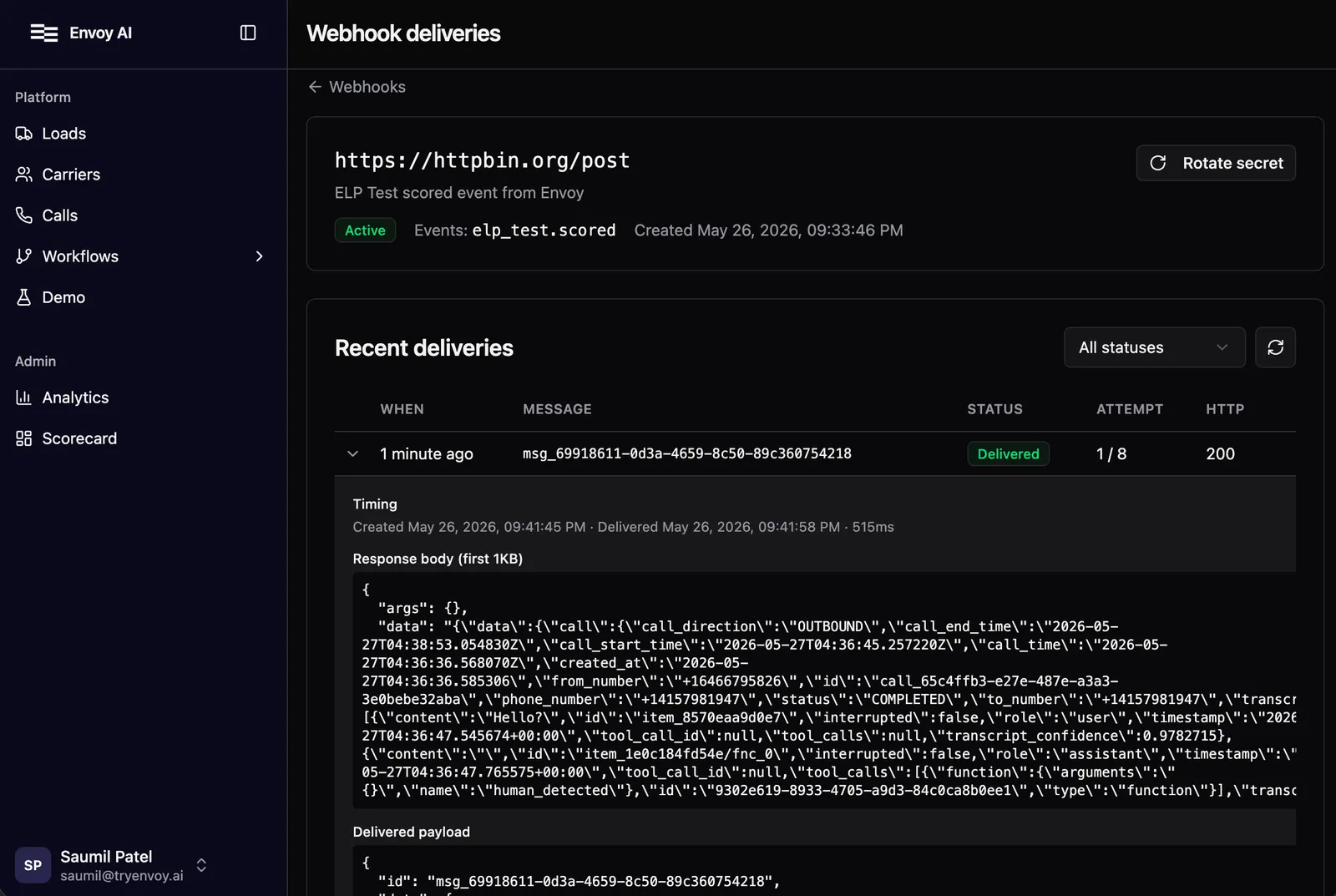
Step 3: Read the scored test
The full response shape lives in the Get ELP test API reference, including an example payload. The fields below are the ones worth understanding when interpreting a SCORED test.
Field reference
Failure modes
elp_test.scored fires on SCORED outcomes; elp_test.failed fires on every terminal failure (call never connected, call ended without scoring, or scoring exhausted retries). Subscribe to both event types to get full lifecycle coverage. The failure reason is on the notes field of the payload.
Reading the data
valid_answersvs.questions_answered. Ifvalid_answers < questions_answered, the driver responded but the response was off-topic, non-English, or otherwise unscorable. The competency score reflects that.- STT mishear disclosure. When the scorer extends leniency for a probable speech-to-text artifact (heavy accent on a short or jargon-heavy phrase), it discloses this in
notesalong with what it inferred the driver actually said. For example: “Q3 contained ‘Holly Mayo’ where the cargo word would go; treated as a probable STT mishear of ‘hauling mail’.” - Anomaly notes. Edge cases (a substantive answer scoring 1, an empty segmenter window) are flagged in
notesfor review.
Next steps
- Set up webhook delivery: see Webhooks.
- Create an ELP test. Full API reference.
- Get an ELP test. Full API reference.